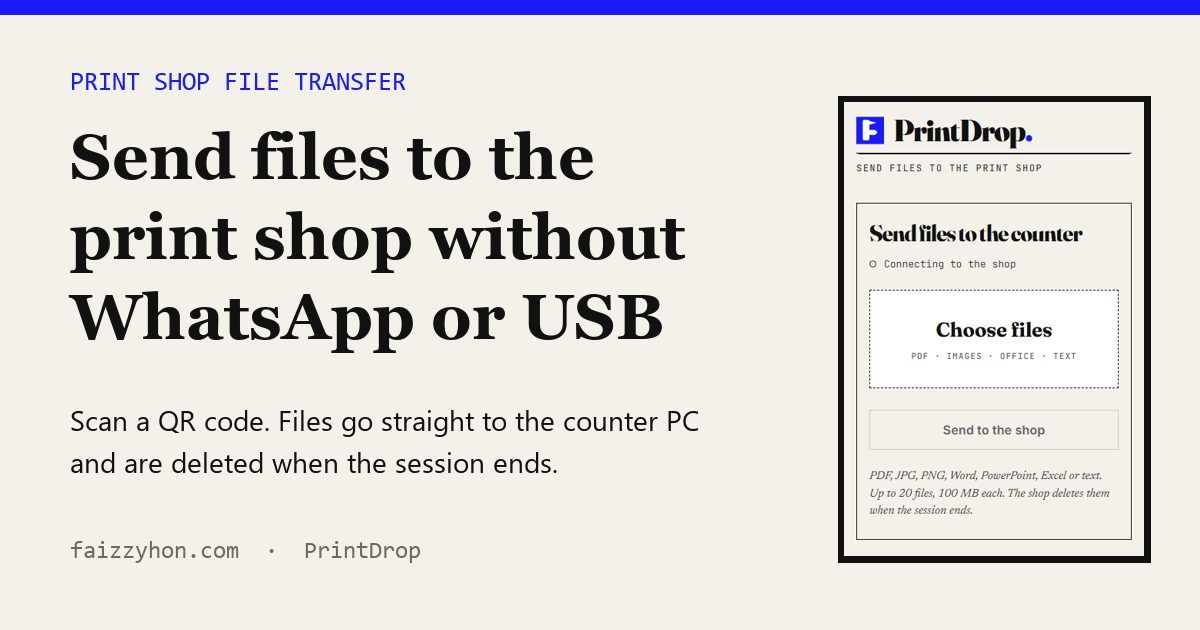
If you want to send files to a print shop without handing over a USB stick, typing an email address or saving the shopkeeper's WhatsApp number, the simplest fix is a QR code at the counter. The shop starts a short session on its computer, you scan the code, pick your files on your phone, and they show up on the shop PC ready to print. When the session ends, the copies on the server are deleted. I built a tool that does exactly this, called PrintDrop. It is my own project, so read what follows with that in mind.
Why the usual print shop file transfer is a problem
Walk into almost any print shop or cyber café in Pakistan and you'll see one of three things happen. A customer hands over a USB stick. A customer asks for the shop's WhatsApp number and sends a PDF. Or the shopkeeper logs into their email on the counter PC so the customer can mail the file over. All three get the job printed, and all three leave a copy or a contact detail somewhere it shouldn't stay.
USB sticks carry malware in both directions
A counter PC that takes dozens of USB sticks a day is the ideal place for removable-media malware to spread. A customer's stick infects the shop PC, and the shop PC infects the next ten sticks. Microsoft documented this pattern with the Raspberry Robin worm: an infected drive carries a Windows shortcut (LNK) file disguised as a folder, and opening it starts the infection. In October 2022 Microsoft reported that nearly 3,000 devices in almost 1,000 organizations had raised a Raspberry Robin payload alert in the previous 30 days. If you've ever had a customer complain that the folders on their stick "turned into shortcuts", you've seen this family of malware at work.
People are also far more willing to plug in a stick than you'd think. In a 2016 study presented at the IEEE Symposium on Security and Privacy, Tischer and colleagues dropped 297 USB drives on a university campus. They estimated that 45 to 98 percent of them were picked up and connected, and the first one was plugged in within six minutes. Most finders said they wanted to return the drive to its owner. According to the full paper, 68 percent said they took no precautions at all. A shopkeeper isn't picking up random drives from a car park, but the lesson holds: a stick gets plugged in because someone needs it to work, and nobody stops to scan it first.
Official guidance says the same thing in plainer words. CISA's tip on using caution with USB drives warns that drives can carry malware, are easy to lose, and advises disabling Autorun and keeping security software patched. ENISA warned businesses as far back as 2008 that USB flash drives were rarely covered by audit, backup or encryption policies. A small print counter rarely has any written policy for them.
WhatsApp swaps phone numbers and keeps the files
WhatsApp messages are end-to-end encrypted, so nobody reads the file on its way to the shop. The trouble starts once it arrives. The customer now has the shop's number, and the shop now has the customer's number, name and profile photo. A young woman sending her CNIC copy to a stranger's personal WhatsApp has no idea who else sees that phone. The file also stays in the chat, and often in the phone's gallery or the desktop app's download folder, until someone remembers to delete it, which in a busy shop is rarely. Left alone, a shop's WhatsApp ends up as a searchable archive of ID cards, degree transcripts, bank statements and passport photos.
Email means logging in on a shared PC
Email keeps files just as long, and it usually means someone signs in on the counter computer. A customer who forgets to sign out leaves their inbox open to the next person in the queue.
What PrintDrop does instead
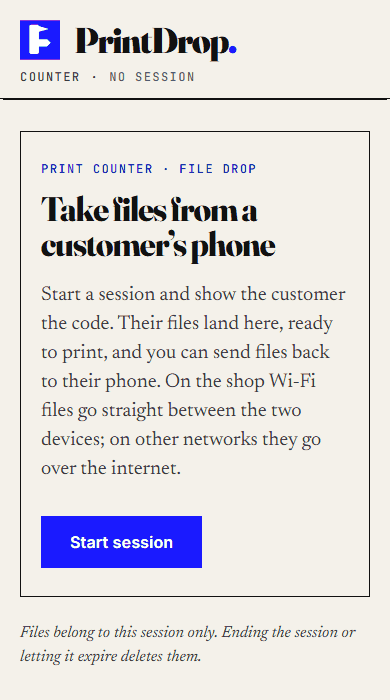
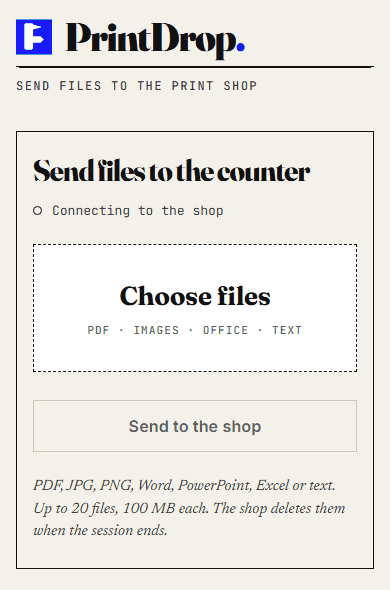
PrintDrop is a small web app with two screens. The counter screen (qr/index.html) runs in a browser on the shop PC. The phone screen (qr/upload.html) opens when a customer scans the QR code. There's no app to install, no account and no phone number. I wrote the server side in plain PHP and MySQL so it runs on cheap shared hosting with no Node process to keep alive.
Sessions and keys
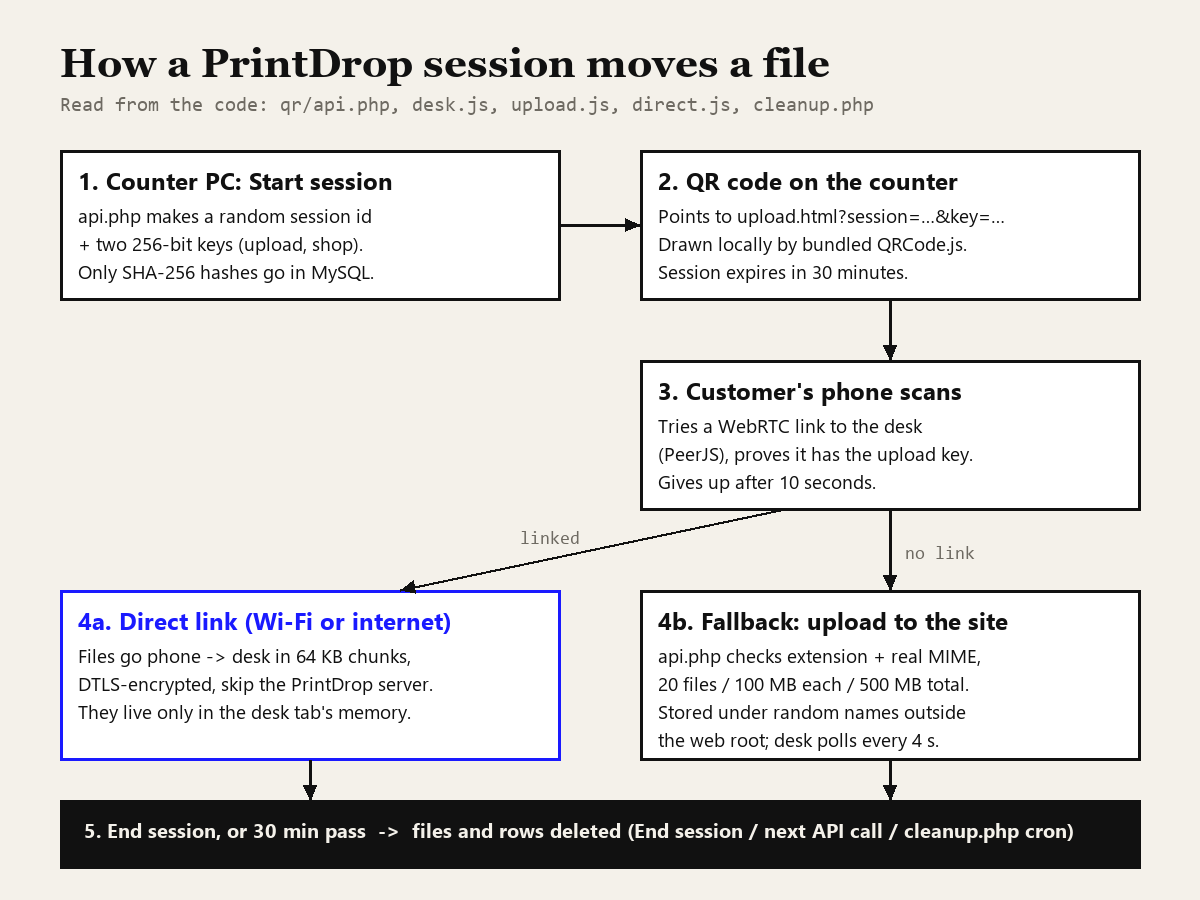
When the shopkeeper presses Start session, the browser calls api.php?action=create. The server generates a random 32-character session ID and two separate 256-bit keys with PHP's random_bytes(): an upload key for the customer and a shop key for the counter. Only the SHA-256 hashes of the keys go into the database,, compared with the timing-safe hash_equals(). A leaked database alone wouldn't let anyone into a session. (If you want the background on why hashing works for this, I covered it in my post on SHA-256 and other hash functions.)
The session expires 30 minutes after creation. That is enforced in SQL: every lookup checks expires_at > UTC_TIMESTAMP(), so an old QR code stops working even if nobody cleans up.
The QR code
The QR code encodes a link of the form upload.html?session=…&key=…. It is drawn in the browser by a copy of QRCode.js bundled with the app, so no third-party QR service ever sees the link. Both pages send Referrer-Policy: no-referrer, so the key isn't leaked to other sites through the Referer header either. If you're curious about QR error correction and sizing, my QR code best practices post goes deeper, and the QR code generator on this site uses the same approach.
Same Wi-Fi direct transfer vs going over the internet
This is the part I'm most pleased with. As soon as the phone page opens, it tries to make a direct WebRTC connection to the counter browser using PeerJS. The counter registers under a peer ID made from the session ID, the phone connects to it, and the first thing the phone sends is a hello message containing the upload key. The counter closes any connection that doesn't present the right key. Only after that does it accept files.
Files then go across in 64 KB chunks. The receiving side checks the extension, the 100 MB per-file limit and the 20-file session limit before it accepts the first byte, and it rejects a file whose byte count doesn't match what was announced. WebRTC data channels are always encrypted: RFC 8827 says all data channels must be secured with DTLS.
The code then reads the connection stats to tell the shopkeeper which route was used. If the chosen network path is a local interface, or both ends share the same public IP, the counter shows "Phone connected over the shop Wi-Fi". Otherwise it says "over the internet". Either way the file bytes don't pass through my server, and files that arrive this way exist only in the counter tab's memory. The page warns you if you try to close or reload the tab before downloading them.
If the direct link can't be made within 10 seconds (strict mobile networks, a blocked CDN, the PeerJS server being down), the phone quietly falls back to uploading through api.php. If the link drops halfway, the remaining files go through the server too. The customer just sees a different status line.
Uploads through the site
The fallback path is where most of the validation lives, because it's the one that writes to disk. api.php accepts only PDF, JPG, PNG, DOC/DOCX, PPT/PPTX, XLS/XLSX and TXT. It doesn't trust the extension: it reads the real MIME type with PHP's finfo and rejects a file whose contents don't match its name, so a renamed .exe is refused. Limits are 20 files, 100 MB each and 500 MB per session, checked inside a database transaction that locks the session row so two parallel uploads can't sneak past the total.
Files are saved under a random 48-character name in a private folder beside the web root, so no uploaded file has a public URL. The original filename, stripped of path parts and control characters, is kept only in the database for display.
How the shop downloads
The counter screen polls api.php?action=files every four seconds with the shop key in an X-Shop-Key header. Server files download through that same authenticated endpoint with Cache-Control: no-store; direct files are saved straight from browser memory. A Send files to the phone button works in reverse, which is handy for returning a scan or an edited CV.
Nearby devices, no QR needed
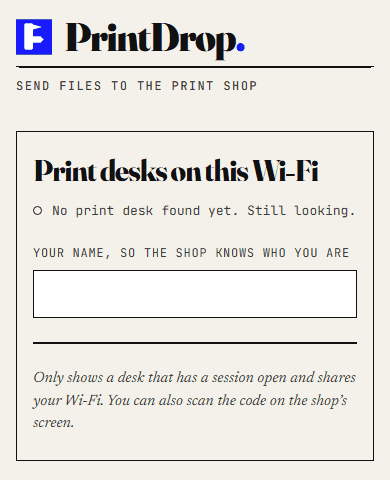
There is a second way in. If a customer opens upload.html without a session link, say from a fixed sticker on the counter, the page lists print desks with an open session on the same network. The server decides "same network" by the public IP address (for IPv6, the same /64). Either side taps Connect, and nothing happens until the other side accepts.
File retention and cleanup
Deletion happens in three places in the code:
- End session. The shopkeeper presses End session, confirms, and
api.php?action=closedeletes every stored file for that session from disk, then the database rows. - Expiry on the next request. Every API call starts by running
purge_expired(), which finds sessions past their 30 minutes and deletes their files and rows. - The cron job.
qr/cleanup.phponly runs from the command line (a web request gets a 404). The README suggests running it every 10 to 15 minutes from the hosting control panel. It does the same purge even when nobody is using the site, and it also removes nearby-device lists older than an hour.
Two honest caveats. First, PHP's unlink() removes the file from the file system. It doesn't overwrite the disk blocks. On shared hosting you can't control that, and NIST SP 800-88 Rev. 2 is the reference if you need real media sanitization. Second, once the shopkeeper clicks Download, the file is on the shop PC's disk, usually in Downloads. PrintDrop can't reach in and delete that copy, and in practice it's the copy most likely to be left lying around.
A short threat model
Here is how I think about the three common methods and PrintDrop against the risks that actually show up at a counter.
| Risk | USB stick | WhatsApp / email | PrintDrop |
|---|---|---|---|
| Malware spreading between PC and customer devices | High, in both directions | Any attachment type gets through | No device is plugged in; only document and image types accepted |
| Customer's phone number exposed | No | Yes (or email address) | No |
| Copies left behind | Whatever the shop copied off the stick | Chat or mailbox, indefinitely | Server copy deleted with the session; downloaded copy stays until the shop deletes it |
| Next customer at the counter sees your files | If left in a folder | If the account stays signed in | Possible while the session is open on that screen |
And here is what PrintDrop doesn't protect against, because I'd rather you hear it from me:
- Anyone at the counter PC. There's no shopkeeper login. The shop key is kept in the browser's local storage, so whoever can use that browser can manage the current session. Use a counter PC that only staff touch, with a Windows password.
- Someone photographing the QR code. The QR code is the upload key. A person who scans it within the 30 minutes can upload files to that session and receive any files the shop sends back. They can't download the customer's uploads; that needs the shop key. Start a fresh session per customer.
- A malicious PDF or Office file. MIME checks stop renamed executables, not a booby-trapped document. Keep the PDF reader and Office patched, and don't enable macros in a customer's file.
- The public signalling server. Pairing uses the free PeerJS server and loads the PeerJS script from cdnjs, so both devices need internet even on the same Wi-Fi. The signalling server helps set up the connection; the file data itself is DTLS-encrypted.
- Proxies. If the site sits behind Cloudflare or another proxy, every visitor appears to come from the proxy's IP and the nearby list would show everyone. The README calls this out.
Step-by-step guide for shop owners
- Open faizzyhon.com/qr/ on the counter PC in Chrome, Edge or Firefox. If you'd rather host it yourself, the package targets PHP 8.1+ with MySQL: import
setup.sql, put your own database details inconfig.php, keep the storage folder outside the public web root, and add thecleanup.phpcron job. - Press Start session when a customer is ready. A QR code appears with a 30-minute countdown.
- Turn the screen towards the customer, or let them scan from a small second monitor. Wait for the status line. "Phone connected over the shop Wi-Fi" means the files will come straight across.
- As files arrive, click Download and print. Direct files live only in the tab, so download them before you reload.
- Press End session when the job is done. This deletes the server copies straight away.
- Delete the downloaded files from the PC. Empty the Recycle Bin before you close. Skip this and every other step matters much less.
- Start a new session for the next customer. Don't reuse one QR code for the whole queue.
Step-by-step guide for customers
- Ask the shop to start a PrintDrop session, and scan the QR code with your phone camera.
- Check that the page opens on the address the shop expects. If a link looks wrong, don't upload.
- Tap Choose files and pick your PDFs, photos or Office documents. Up to 20 files, 100 MB each.
- Tap Send to the shop. When you see "files sent", tell the shopkeeper.
- For sensitive documents like a CNIC, passport or bank statement, ask the shop to delete the copy from their PC after printing, and watch them do it. It takes ten seconds and most shopkeepers won't mind.
Retention and deletion advice for any shop
Even if you never use PrintDrop, these habits help. They line up with two basic principles found in most data protection laws, which the EU's GDPR spells out in Article 5: collect only what you need (data minimisation), and keep it no longer than you need it (storage limitation). A print shop needs a customer's file for exactly one print job.
- One folder, emptied daily. Save every customer file into one folder, for example
C:\Print-Today, and delete its contents before closing. If a thief or the next employee gets the PC, a year of saved ID cards is what they walk away with. - No customer accounts on the counter PC. If a customer must use email, let them use a private browser window and close it afterwards.
- A separate business WhatsApp, cleared regularly. If you keep WhatsApp, don't use a family member's personal number, and turn on disappearing messages or clear media regularly.
- If you must take USB sticks, keep Windows and your antivirus updated, leave AutoPlay off, show file extensions in Explorer so a "folder" that is really a
.lnkshortcut stands out, and never open a file you didn't expect to see. - Use a strong Windows password on the counter PC and lock the screen when you step away. My password security guide covers the basics.
Why I built it this way
I'm a Certified Ethical Hacker by training, and what bothered me at print shops was what got left over: folders of other people's ID cards on a PC anyone could sit at, and shopkeepers' WhatsApp galleries full of strangers' documents. So the design rule for PrintDrop was "nothing outlives the job unless someone chooses to keep it", which is why sessions expire on their own and ending one deletes instead of archiving. I apply the same thinking to the tools on this site, which run client-side so your data never reaches my server in the first place.
If you run a print shop and want PrintDrop on your own domain, or you need something similar built for your business, you can see what I do on my services page or read more about me.
FAQ
Does the customer need to install an app to use PrintDrop?
No. The QR code opens a normal web page in the phone's browser. The customer taps Choose files, picks documents or photos, and taps Send to the shop.
Does PrintDrop work without internet?
No. Both devices need internet to load the pages and to pair. On the same Wi-Fi the file bytes usually travel directly between the phone and the counter PC, but the pairing step still goes through a public signalling server.
How long does PrintDrop keep my files?
A session lasts 30 minutes. Files uploaded through the site are deleted when the shop ends the session, and expired sessions are purged on the next API request or by the cleanup cron job. Files that came over a direct link only ever exist in the counter browser tab's memory. Once the shop downloads a file to its PC, deleting that copy is the shop's job.
Further reading
If the security side interests you, encoding vs hashing vs encryption explains which protections actually hide data. I also wrote about another shop tool I built: designing Arabic and Urdu text for laser engraving.
Sources
- Tischer, Durumeric, Foster, Duan, Mori, Bursztein, Bailey. Users Really Do Plug in USB Drives They Find, IEEE Symposium on Security and Privacy, 2016 (PDF).
- Microsoft Threat Intelligence. Raspberry Robin worm part of larger ecosystem facilitating pre-ransomware activity, 2022.
- CISA. Using Caution with USB Drives.
- ENISA. USB flash drives: small device, major headache?, 2008.
- IETF. RFC 8827: WebRTC Security Architecture, 2021.
- NIST. SP 800-88 Rev. 2, Guidelines for Media Sanitization, 2025.
- GDPR. Article 5: Principles relating to processing of personal data.